
Sprint memory decays fast
Conversations happen in Slack, in hallways, and in meetings. Two weeks later, the details are gone and the team is left with feelings, not evidence.
AgileNotes.AI syncs your sprint data, tracks flow metrics like WIP and cycle time, and lets you capture decisions, blockers, and risks from any conversation — events, hallways, Slack, or on the go with voice notes from your phone. AI-powered coaching insights and polished reports follow automatically.
Designed for practitioners who are accountable for clarity, continuity, and coaching.
The Sprint Intelligence Layer — a Sprint Memory System with three surfaces: the daily Dashboard, the coaching surface, and the stakeholder surface. Each one ties live APM data to the conversations and context most teams lose by the next sprint.
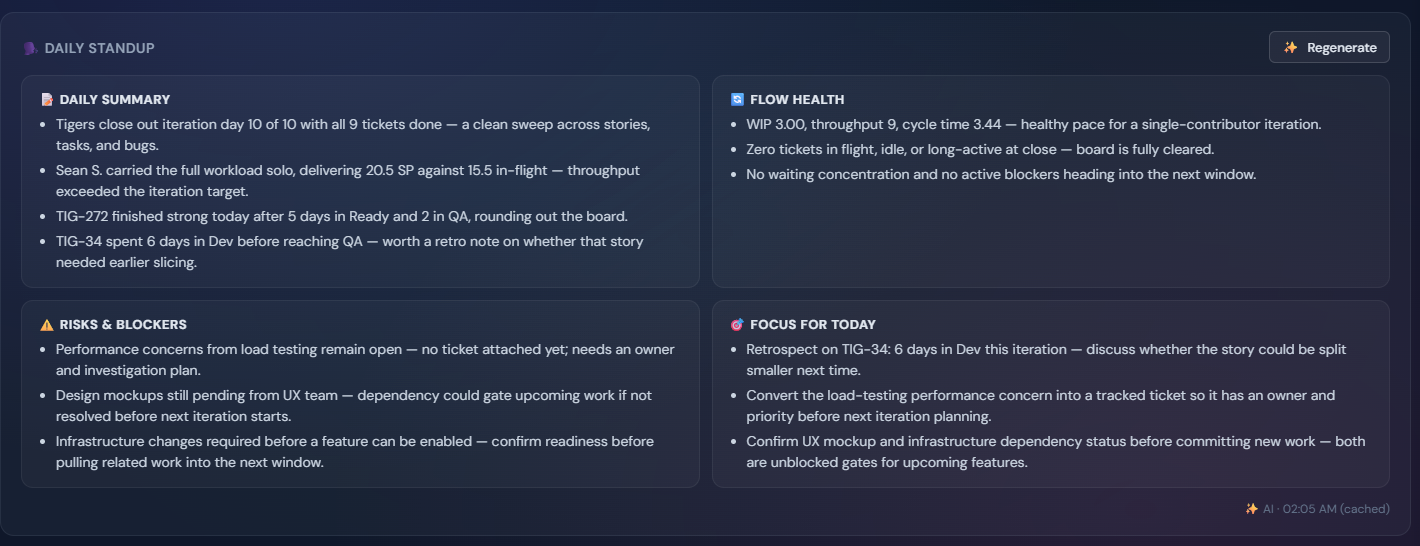
Sprint stats, notes, insights, and a Daily Standup AI card that refreshes every morning — Daily Summary, Flow Health, Risks & Blockers, Focus for Today. Edit any section in place when the AI gets nuance wrong; the next day the AI builds from your edits.
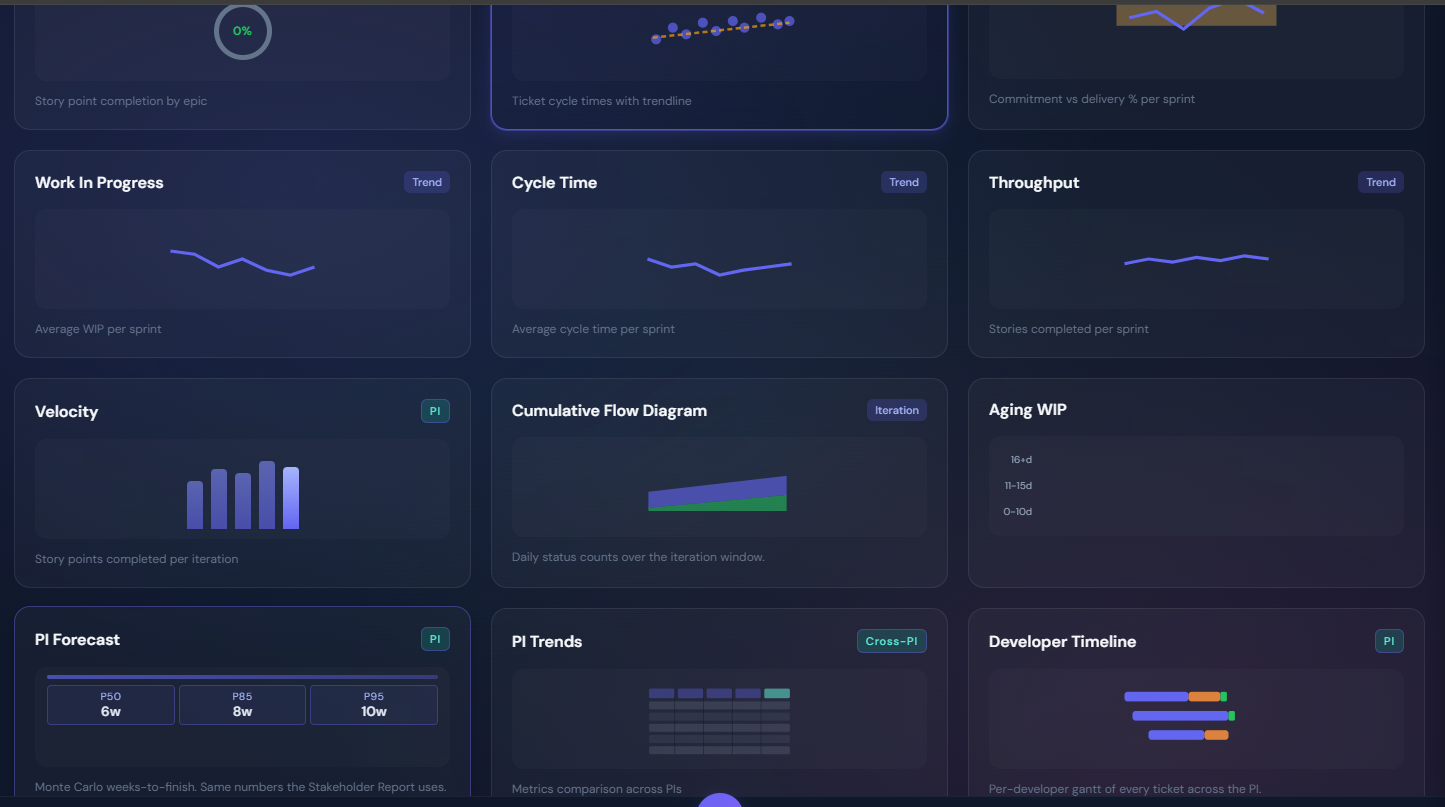
Sprint Memory of every note — decisions, blockers, risks, observations — alongside Pattern Insights and a full library of charts that show momentum, aging work, cycle and lead time distributions, who's doing what, and how the PI is likely to land. The story behind the metrics, with the metrics next to it.
A Stakeholder Report with Outcome, Forecast, Risks, Decisions, Pattern Insights, and Epic Overview — every AI-narrated section editable on its own. Pair it with a Public Dashboard for read-only stakeholder sharing without seats.
Most teams forget the very things they later need to remember: why a decision was made, what trade-off was accepted, what changed mid-sprint, and what signals were ignored.
Conversations happen in Slack, in hallways, and in meetings. Two weeks later, the details are gone and the team is left with feelings, not evidence.
Leadership asks: what shipped, what changed, what is at risk, and what we learned. Most updates are either too detailed or too vague.
Your APM tool shows what happened but not why. AgileNotes.AI combines quantitative flow metrics with qualitative sprint notes — giving practitioners the full picture for coaching and giving leadership a Stakeholder Report (Outcome, Forecast, Risks, Decisions) that reads on its own without translating dashboards.
Connect your APM tool, capture the context that lives outside it, and let AI turn both into coaching for your team and reports for your leadership.
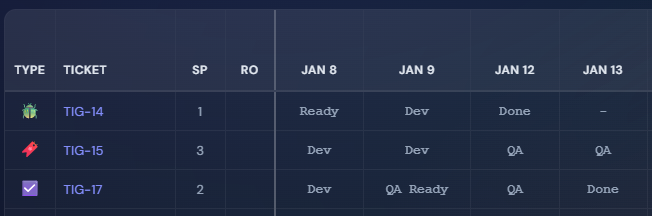
Pick a data source — Jira, Azure DevOps, Agility, Rally, or manual entry. AgileNotes.AI syncs sprint tickets, statuses, story points, and changelogs so your flow metrics are always current.
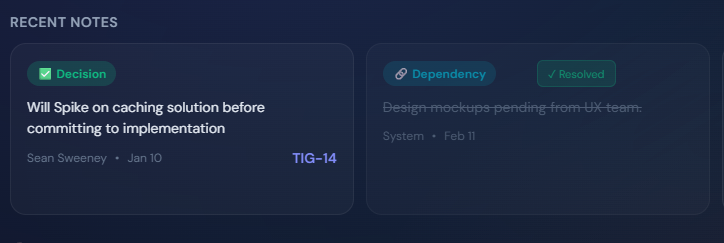
Log Blocker, Decision, Risk, Observation, Action, Dependency, Question, Accomplishment, and Context notes at any ceremony, meeting, hallway conversation, or with voice notes from your phone. Notes attach to the sprint alongside your live data and roll forward when they're still open at sprint close.
The Daily Standup card refreshes daily on the Dashboard. Pattern Insights surface coaching opportunities. The Stakeholder Report compiles the PI for leadership — every AI-narrated section is editable, so the human stays in the loop.
Scrum Masters do not fail because they lack data. They fail when the narrative is unclear, coaching lacks evidence, and leaders misread what is happening. AgileNotes.AI grounds coaching in both metrics and context.
Everything is designed to reduce cognitive load and increase clarity without turning into a reporting ritual.
Two-way sync with Jira, Azure DevOps, Agility (VersionOne), and Rally. Tickets, statuses, story points, and changelogs land automatically. No APM access? Manual entry works too — every metric still computes.
Capture Blockers, Decisions, Risks, Observations, Actions, Dependencies, Questions, Accomplishments, and Context — everything that happens outside the ticket. Notes attach to the sprint and roll forward to the next sprint until resolved.
A four-section AI summary on the Dashboard, refreshed daily — Daily Summary, Flow Health, Risks & Blockers, Focus for Today. Edit any section in place when the AI gets nuance wrong; the next day's card builds from your edits.
A library of charts that show momentum sprint-over-sprint, aging work, cycle and lead time distributions, who's doing what across the PI, and how the PI is likely to land — for both sprint and PI scope.
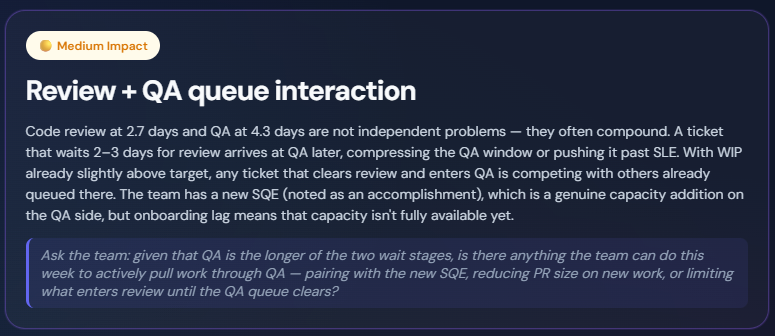
Rule-based detection of chronic rollover, blocker chains, capacity-vs-velocity gaps, and idle ticket patterns — plus AI-narrated coaching recommendations. Every signal grounded in data the user can click into.
A report stakeholders can read on its own — Outcome status, Forecast, Risks, Decisions Needed, Pattern Insights, Epic Overview. Every AI-narrated section editable per section so the human stays in the loop before stakeholders see it.
A shareable read-only team view. Stakeholders see Sprint reports & live status without needing seats.
Build report templates at the organization or team level with a block palette. Mix sprint stats, notes, charts, and AI narratives in any combination.
Sprints, Iterations, or flow windows, IP Sprints, framework-aware terminology and metrics. Switch frameworks per team without losing history.
One plan with everything a Scrum Master needs.
For Scrum Masters and Agile Coaches
Billed monthly
Start your free trial15 days free · No credit card required
Everything included
For SM and PO working together
Billed monthly
SM and PO see the same team data.
For SM, PO, and Coach or RTE
Billed monthly — save 20% with annual ($99/team/month)
Not a wiki. Not a ticket tracker. The missing layer between what happened and what people remember.
"Having sprint data and my notes in one place changed everything. I finally had the full picture when coaching the team or answering leadership questions."
"The AI insights caught a blocker pattern I missed for three sprints. Now I coach with data instead of gut feelings."
"The sprint summary combines real metrics with context. Leadership finally understands what is happening without me translating dashboards."
Short answers to the questions that actually come up in the real world.
AgileNotes.AI currently integrates with Jira, Azure DevOps, Agility (VersionOne), and Rally. Sprint data syncs automatically including ticket keys, statuses, story points, and changelogs.
No. Confluence and similar tools are knowledge bases. AgileNotes.AI is sprint memory and narrative. You can link to your wiki, but you do not have to move everything into one.
WIP, DWIP, throughput, velocity, cycle time, lead time, flow efficiency, predictability, aging WIP with SLE tiers, blockers, exceeding-SLE counts, epic completion, PI Forecast (Monte Carlo P50/P85/P95). All calculated from live sprint data and updated automatically as your sprint progresses. The same canonical numbers appear on every surface — Dashboard tiles, Daily Standup card, Stakeholder Report — so they cannot drift between views.
Rule-based pattern detection runs automatically on your sprint data and notes (chronic rollover, blocker chains, capacity-vs-velocity gaps, idle tickets). AI-powered deep analysis layers on top — narrating the patterns, drafting Daily Standup sections, and writing Stakeholder Report snippets. Every AI section is editable per section, so the human stays in the loop before anyone else sees it.
Four sections — Daily Summary, Flow Health, Risks & Blockers, Focus for Today — computed from the last 24 hours of ticket movement and notes. The card refreshes once per day automatically; click Regenerate any time to pick up the latest activity.
Yes. The Public Dashboard is a shareable read-only team view. Stakeholders never need a seat to read the surface, and links can be rotated or revoked from inside the app at any time.
Start a 15-day free trial — no credit card required. See pricing.
Yes. Annual billing saves 2 months. See pricing.
We're rolling out access in waves. Drop your email and we'll send a setup link as soon as your spot opens — no credit card required. Your 15-day free trial starts when you activate.